
What's new with Obvious
Read through our latest product updates below and subscribe to our
email newsletter to be kept informed about new releases.
January 1, 2025
New features
Improvements
Tasks
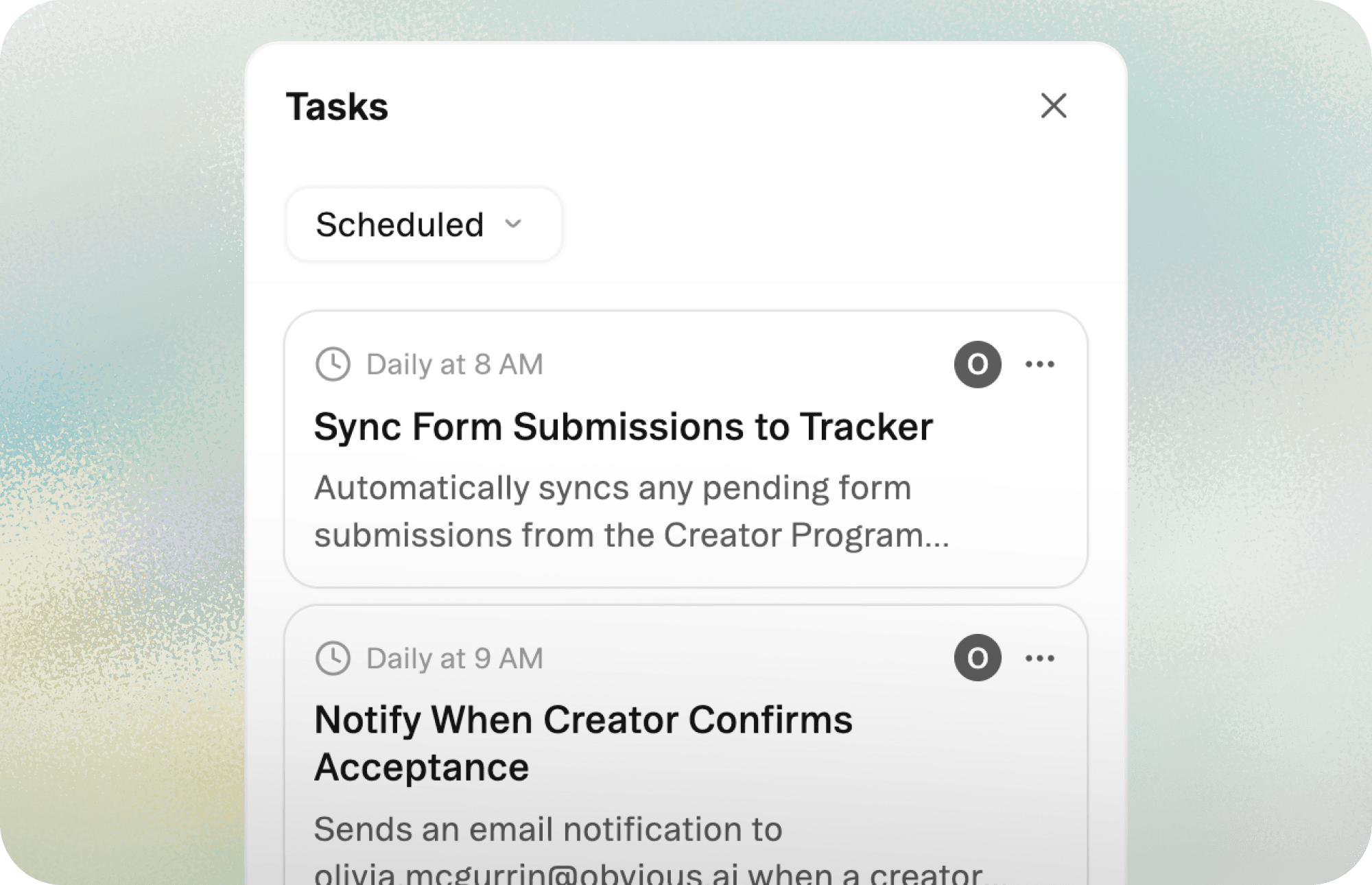
Schedule tasks to run on particular intervals, like daily or weekly. Tell the agent what action you want it to take (like generating a report) and at what time, and it'll create a recurring task and execute it autonomously.
June 14, 2024
New features
Improvements
Comments
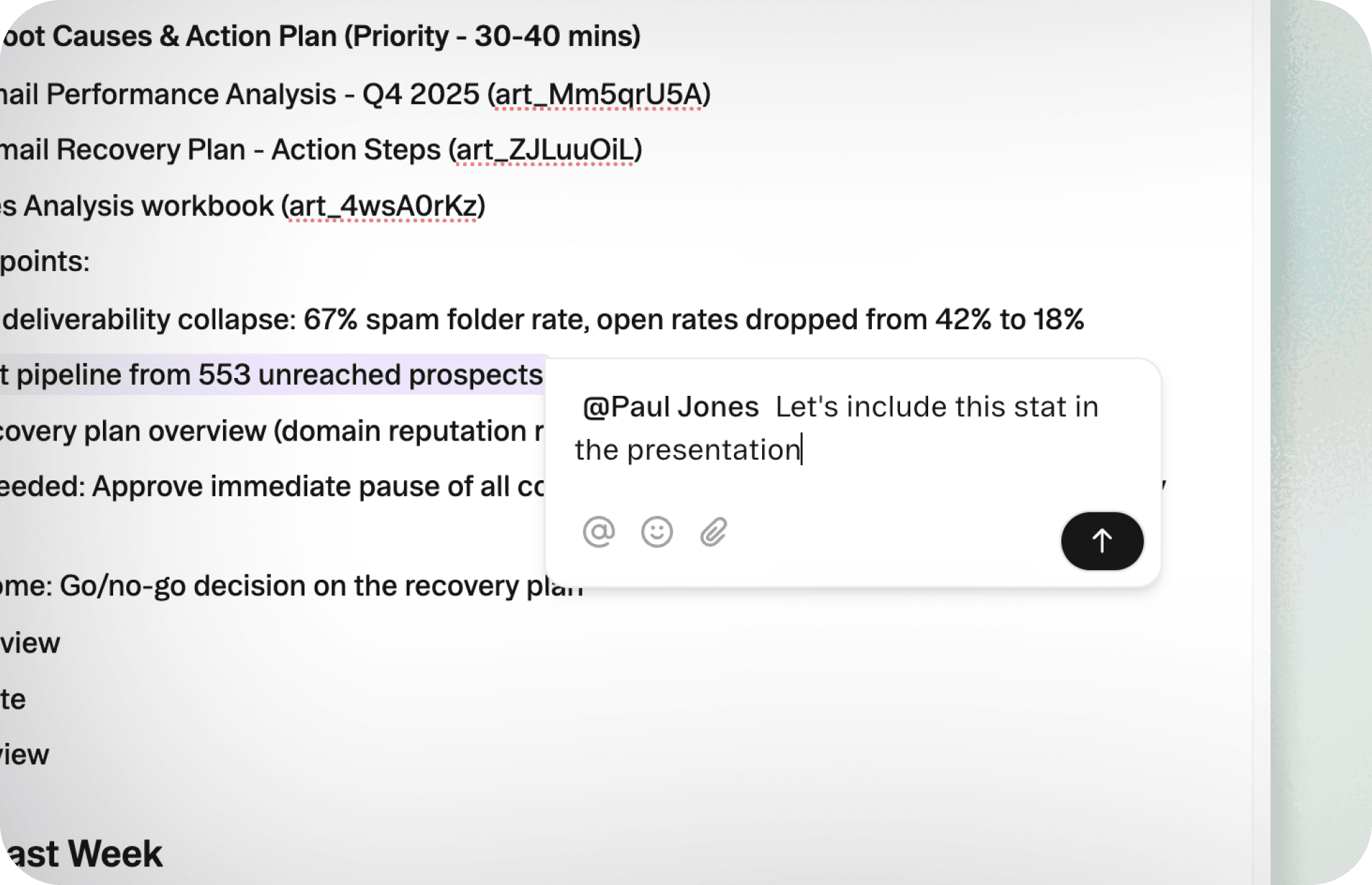
Comment directly on documents and sheets to give feedback or flag issues. @ mention teammates to pull them into the conversation.
April 25, 2024
New features
Improvements
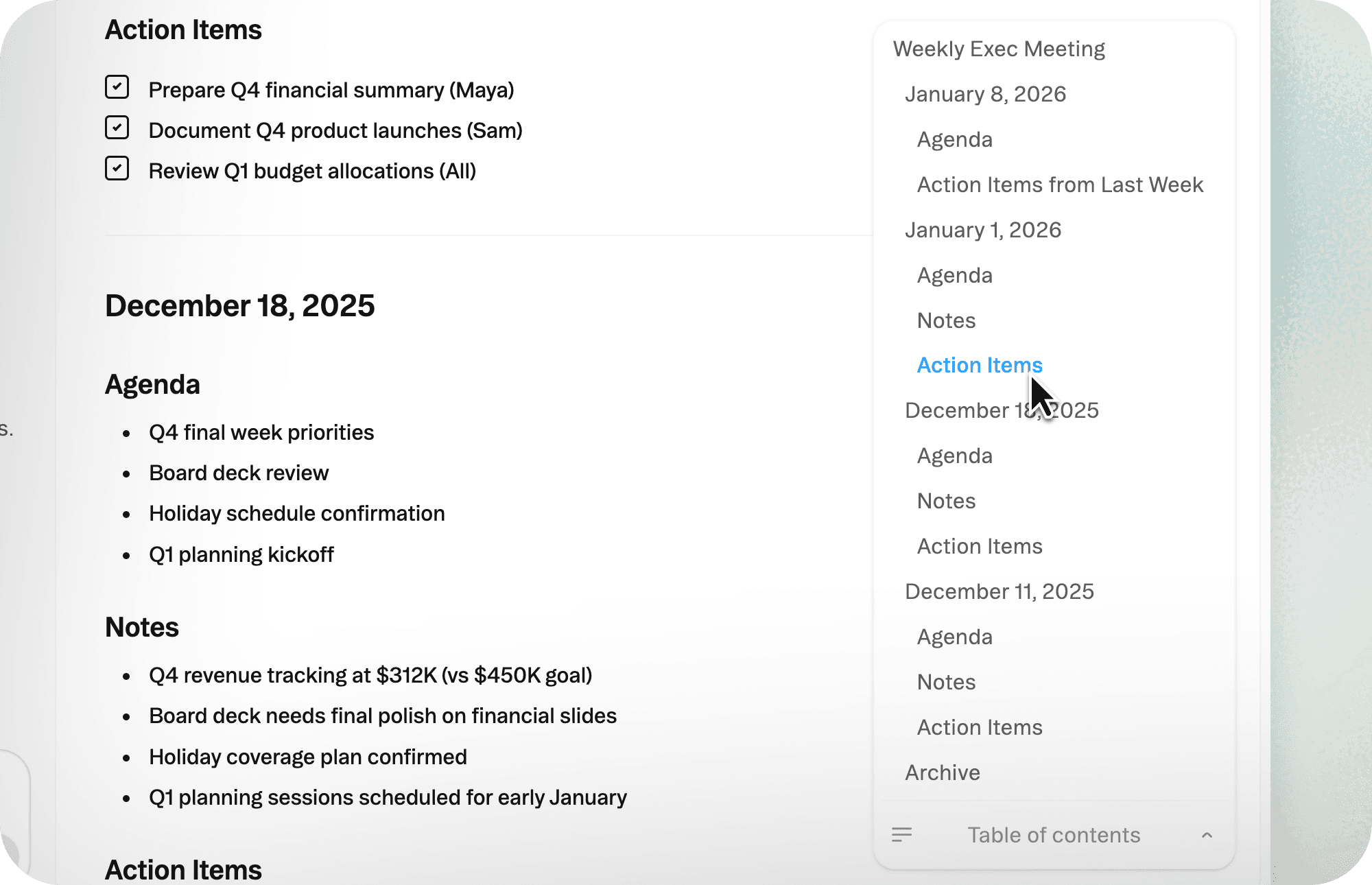
Table of Contents
Obvious now automatically generates Table of Contents for navigation within documents with headers. Jump to any section with a single click instead of scrolling through pages.
March 25, 2024
Improvements
Questions
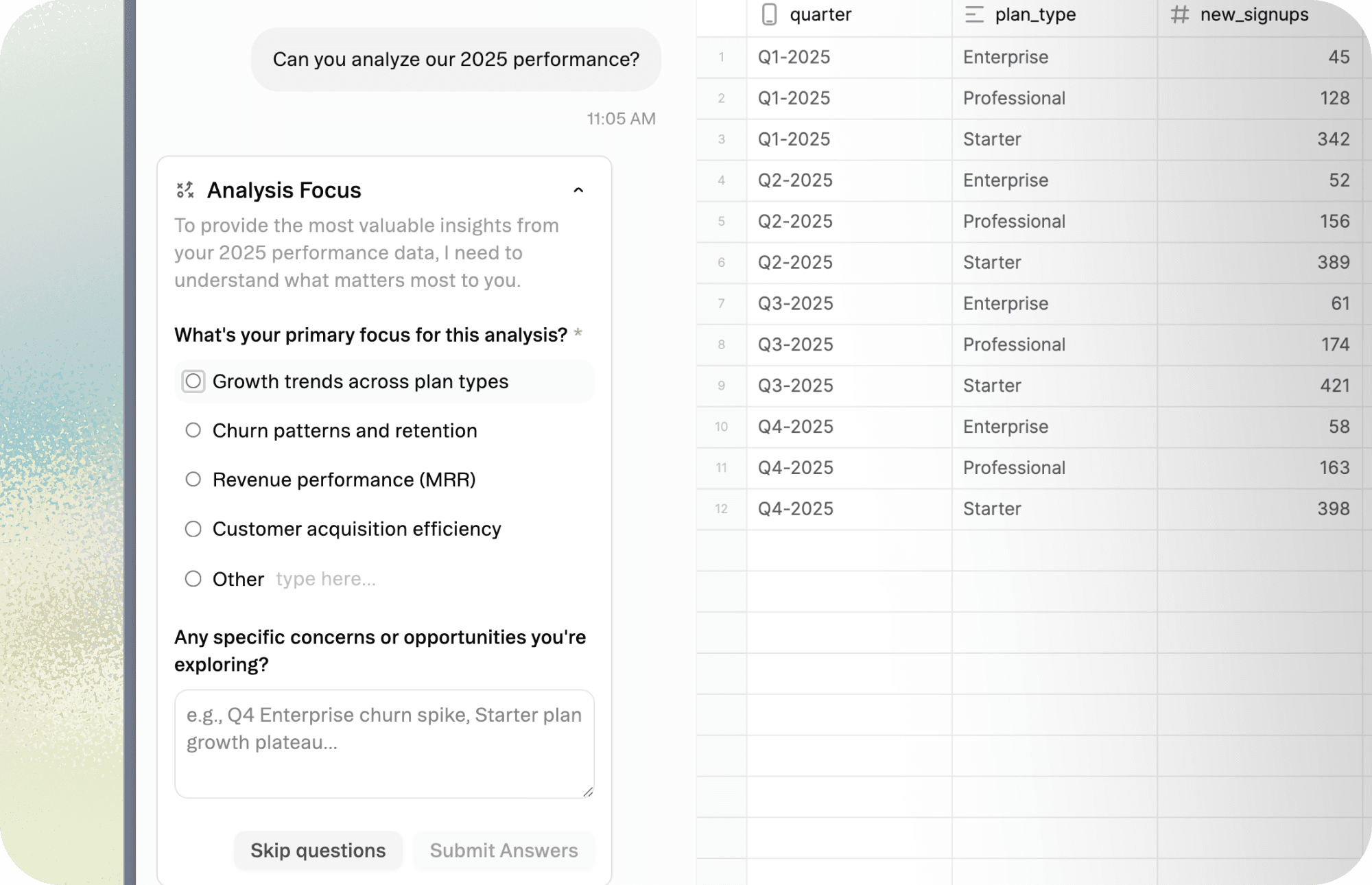
When user input is needed, Obvious creates questions in a survey format right within the chat. Provide the context or direction the agent needs with minimal lift.
February 14, 2024
New features

Moving files
Artifacts you create can now be moved within and between projects. Relocate artifacts between projects by using the file menu or between folders by dragging them directly.
New features
Improvements
Tasks
Schedule tasks to run on particular intervals, like daily or weekly. Tell the agent what action you want it to take (like generating a report) and at what time, and it'll create a recurring task and execute it autonomously.
New features
Improvements
Comments
Comment directly on documents and sheets to give feedback or flag issues. @ mention teammates to pull them into the conversation.
New features
Improvements
Table of Contents
Obvious now automatically generates Table of Contents for navigation within documents with headers. Jump to any section with a single click instead of scrolling through pages.
New features
Improvements
Questions
When user input is needed, Obvious creates questions in a survey format right within the chat. Provide the context or direction the agent needs with minimal lift.
New features
Improvements
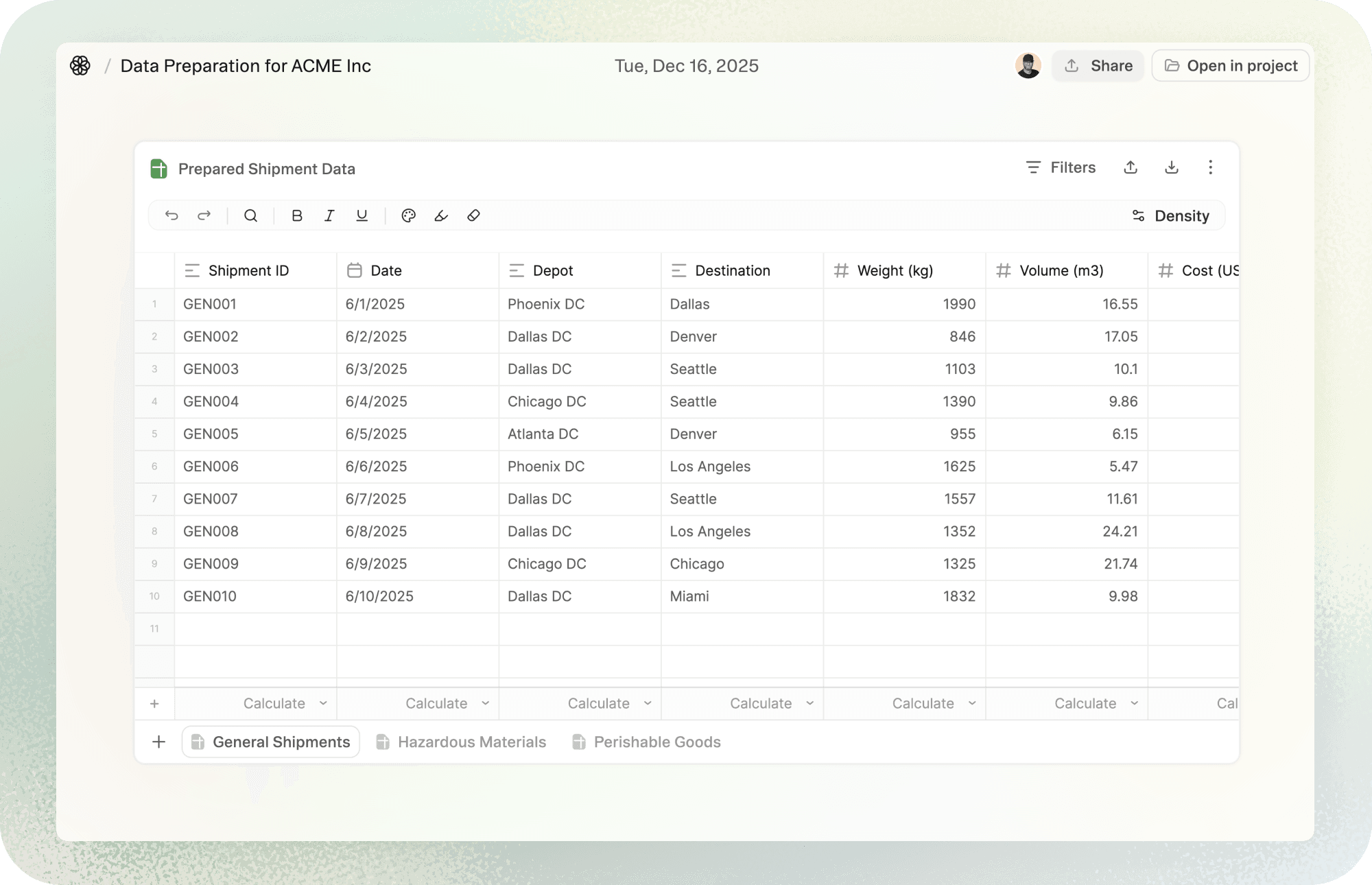
Focus view
When you need to concentrate, the focus view clears everything else away. Click the three dots on the right of the toolbar and select "Open in focus view" to expand it to full screen.
New features
Improvements
Moving files
Artifacts you create can now be moved within and between projects. Relocate artifacts between projects by using the file menu or between folders by dragging them directly.
New features
Improvements
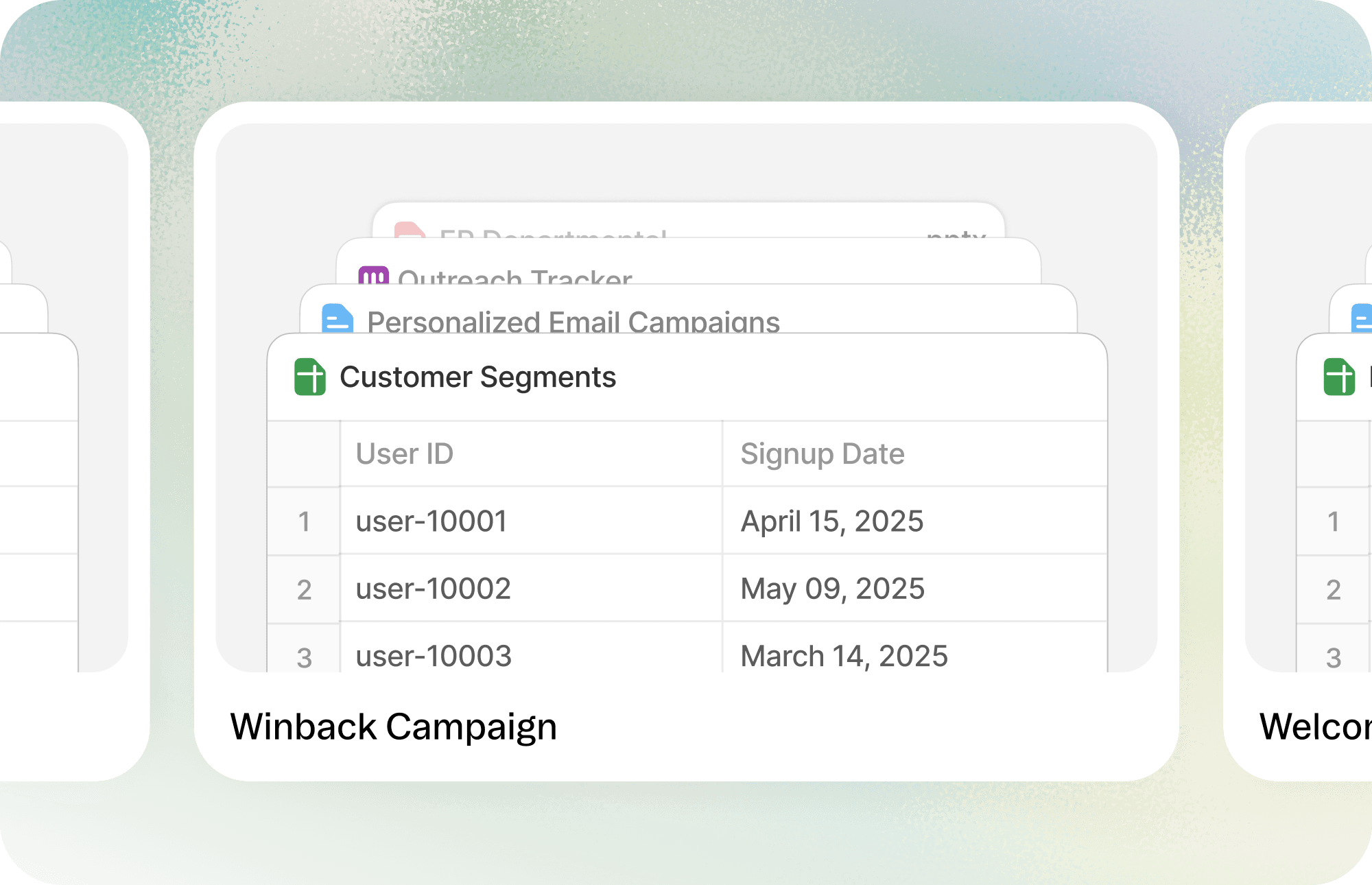
Templates
Create project templates so you’re never starting from scratch. Any project you create can be saved as a Template with its artifacts, folders, and context.
New features
Improvements

Plans
Plans get ambitious work organized while keeping you in control. For complex requests, Obvious will propose a plan for you to approve before the agent dives in.
New features
Improvements
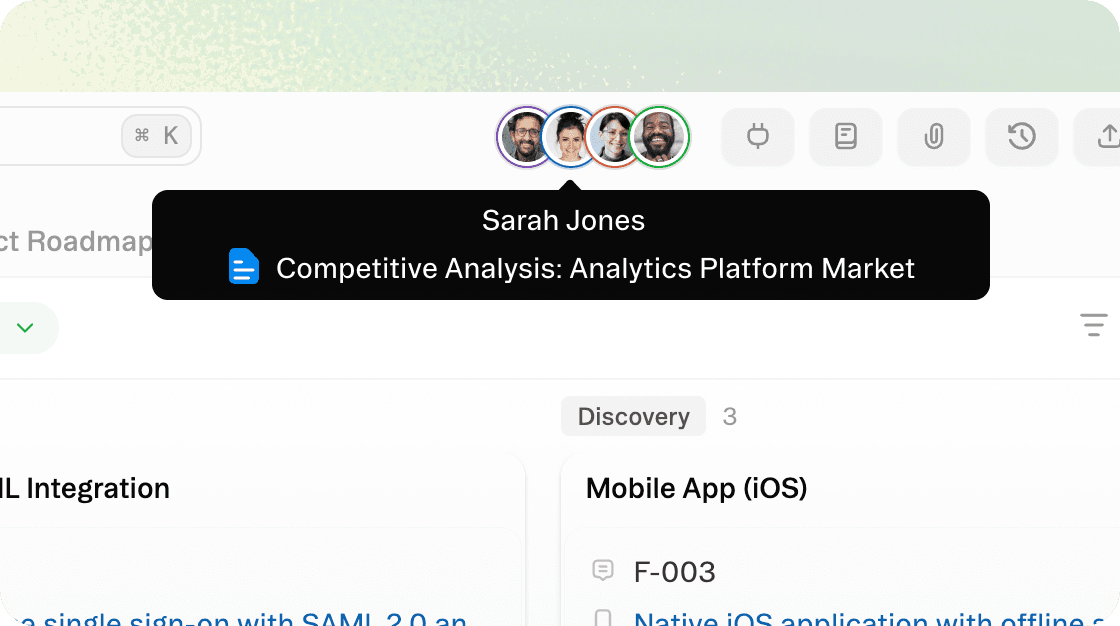
Presence
See who sees what. Presence gives you real-time visibility into who has access to your space so collaboration stays clear and transparent.
New features
Improvements
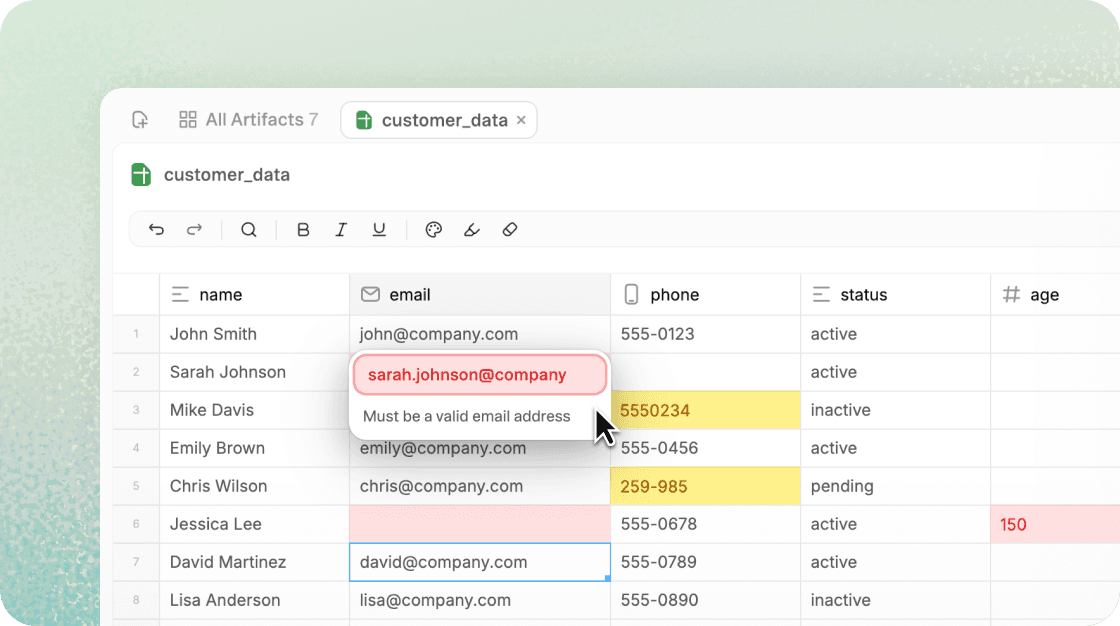
Validations
Tell Obvious what rules data should follow to avoid downstream issues. Errors and warnings will be then highlighted so you can collaborate with the agent to resolve them.
New features
Improvements
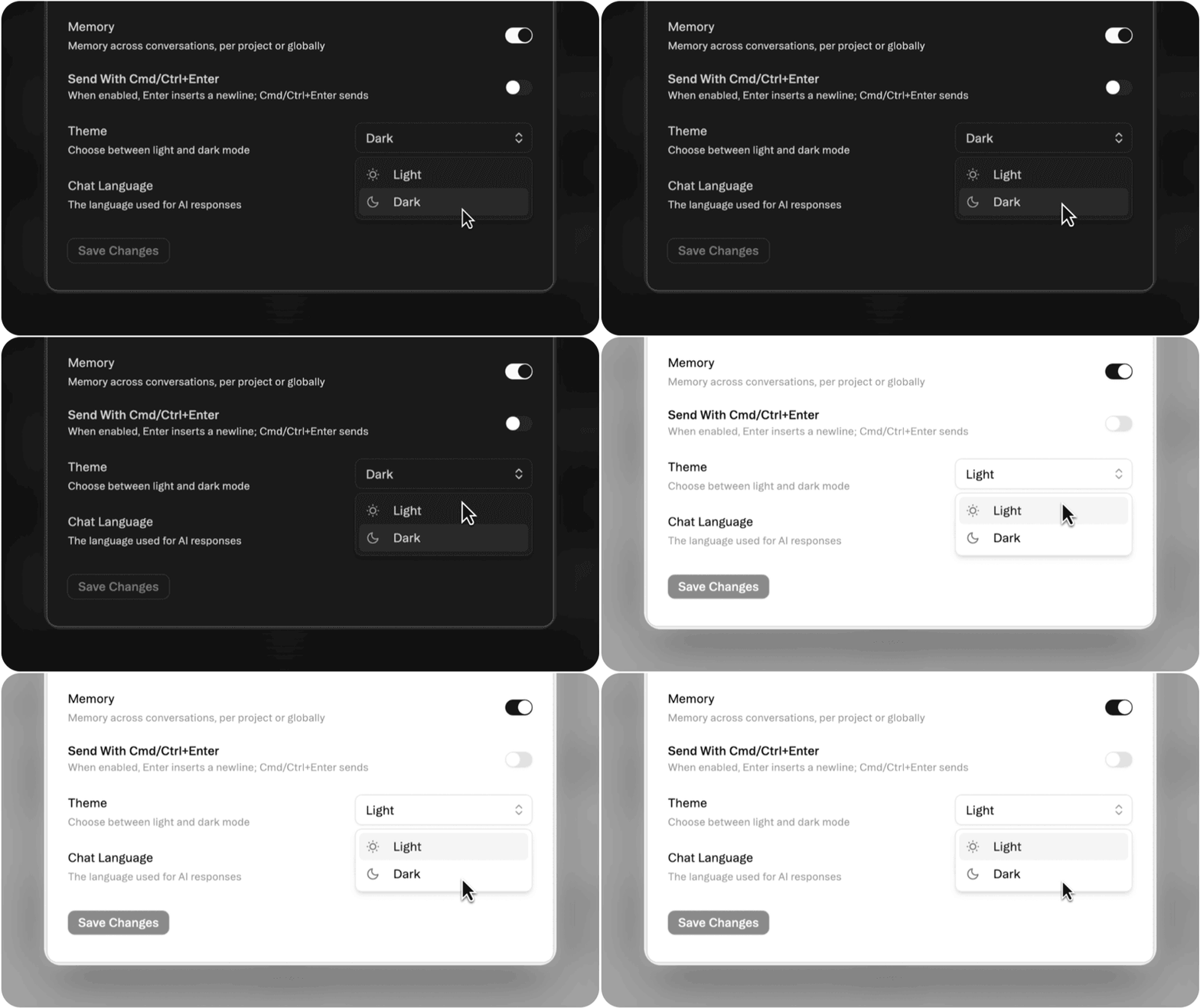
Dark Mode
Switch between light and dark to match your focus or your mood. Dark Mode is easier on the eyes and ideal for deep work or late-night sessions.
New features
Improvements
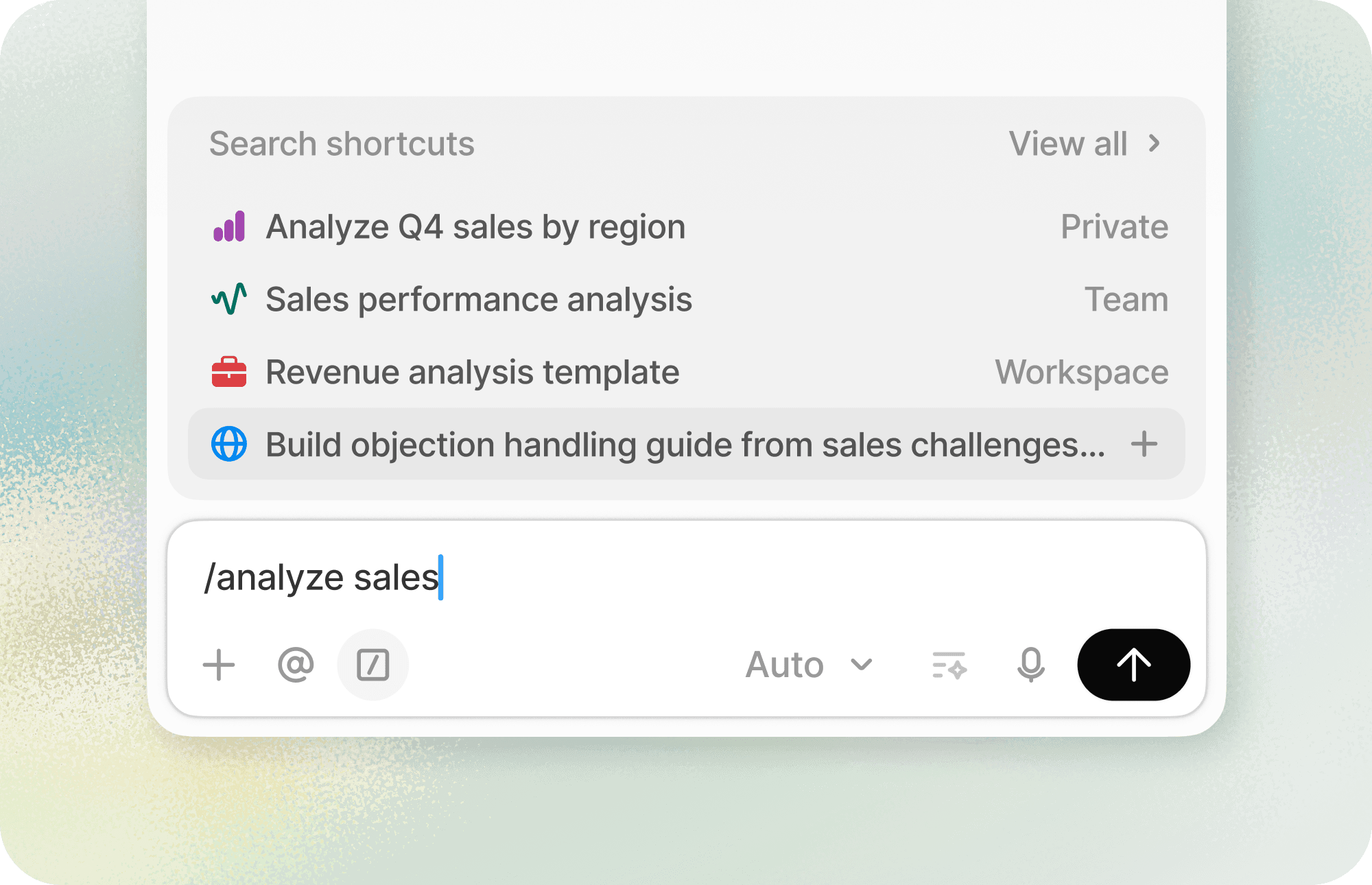
Saved Shortcuts
Keep your favorite prompts close. Save prompts you’ve written—or ones shared by Obvious—so you can quickly reuse them anytime.
New features
Improvements

Folders
Stay organized as your projects grow. Use folders to group related artifacts, making it easy to find what you need in large or shared spaces.
New features
Improvements
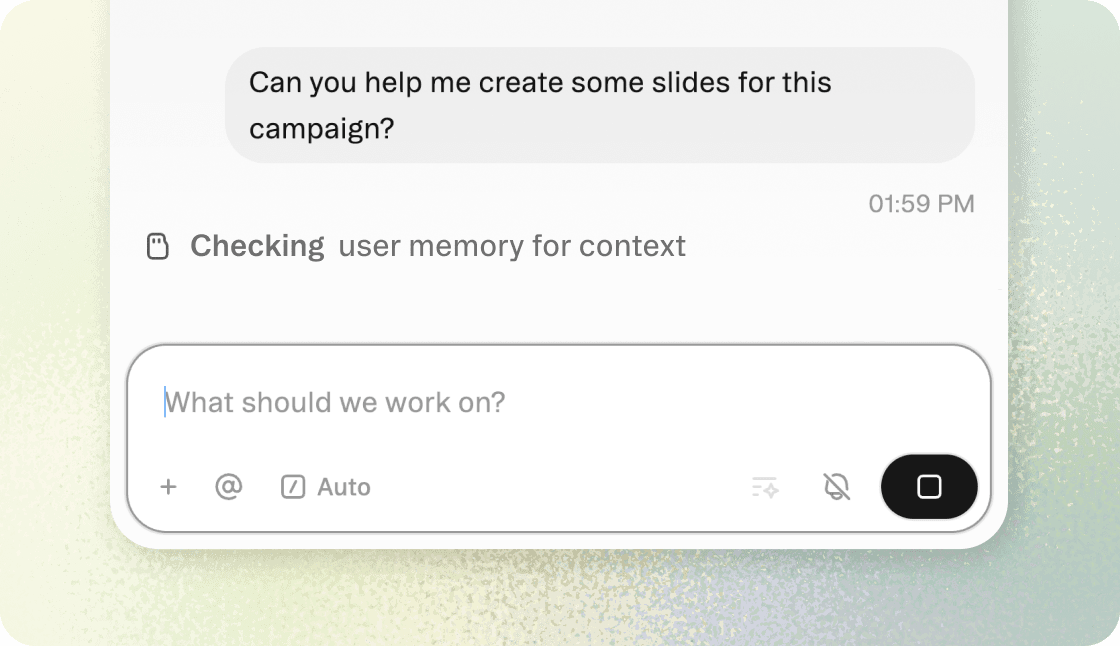
Memory
Move forward without starting from scratch each time. When Memory is on, Obvious remembers things about you, your projects, and your threads.
New features
Improvements
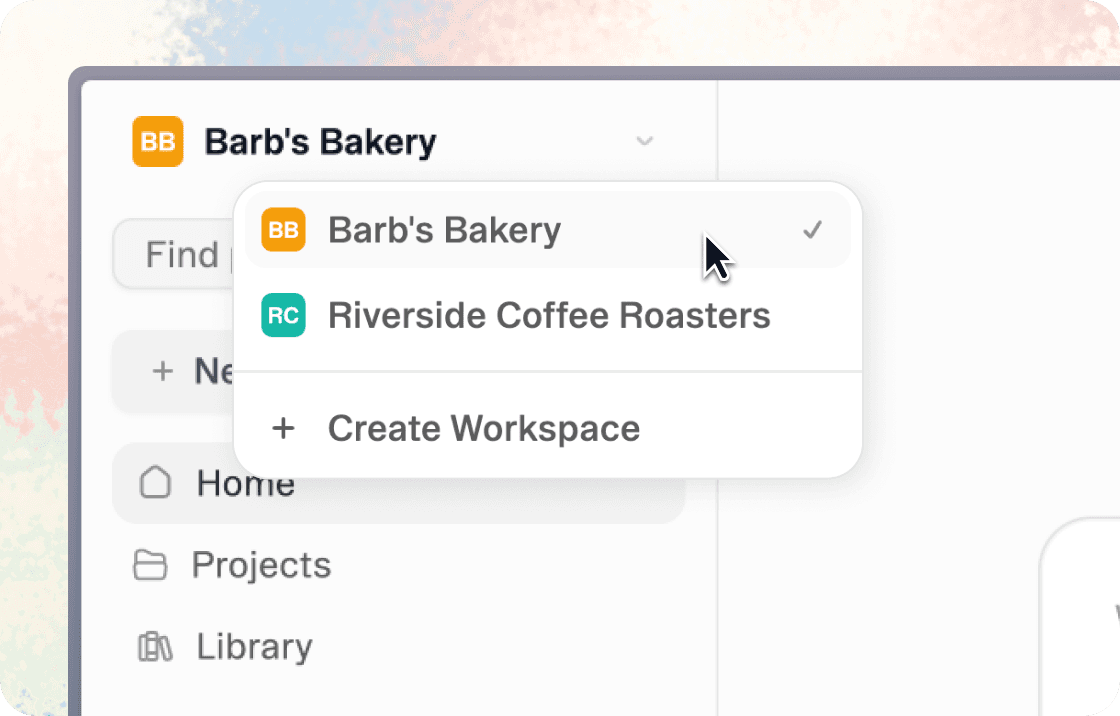
Workspaces
Workspaces allow organizations to manage teams, users, and access inside a company account. Quickly switch between workspaces from the top-left corner of your dashboard.
New features
Improvements
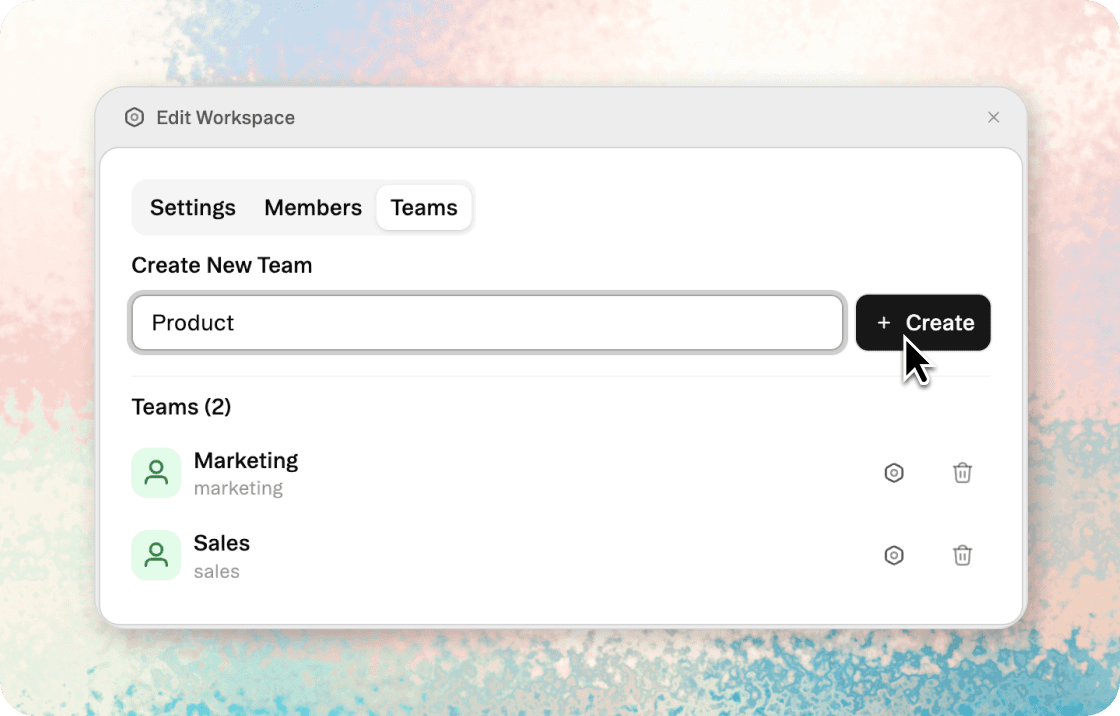
Teams
Teams create a shared space for coworkers to collaborate on brainstorming, assets, templates, and projects. Create a team from your Settings and you'll see it appear in the lefthand menu.
New features
Improvements
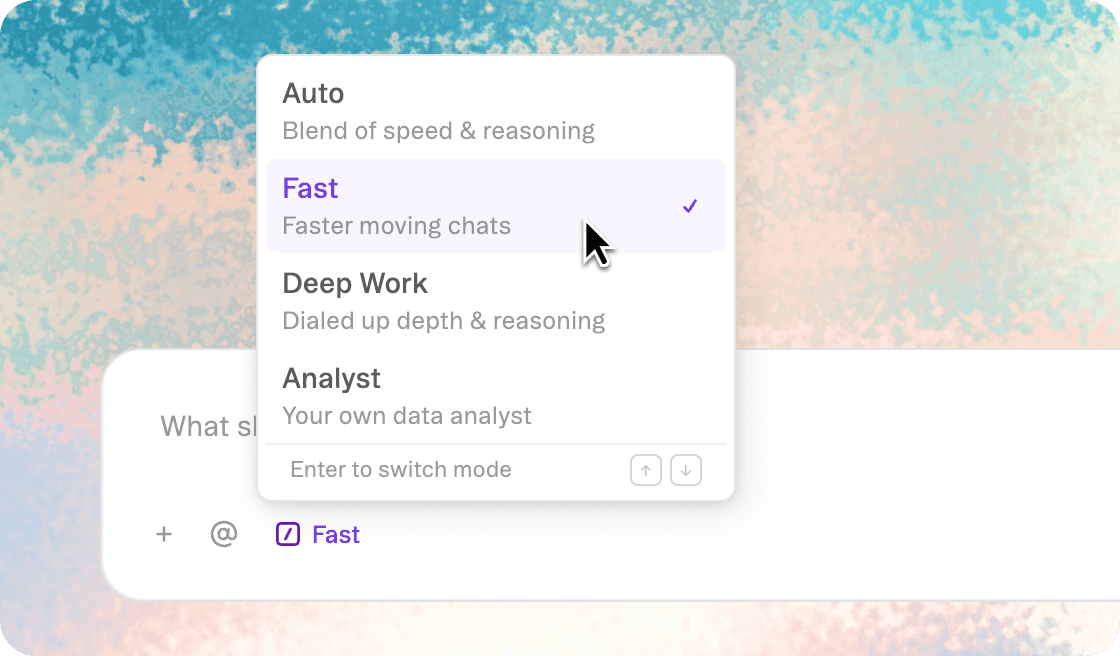
Fast Mode
Fast Mode puts responses into sprint gear. It prioritizes responsiveness over depth, delivering quick iterations and insights. Use it when you need a rapid draft or immediate answers to stay in flow.
New features
Improvements
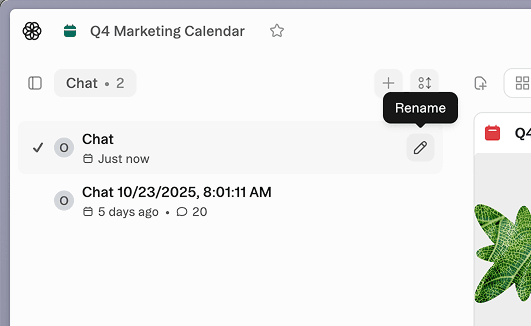
Rename chats
Give each chat a name that makes it easy to find later. Use the rename icon beside a chat thread to label it in a way so it's easy to recognize.
New features
Improvements
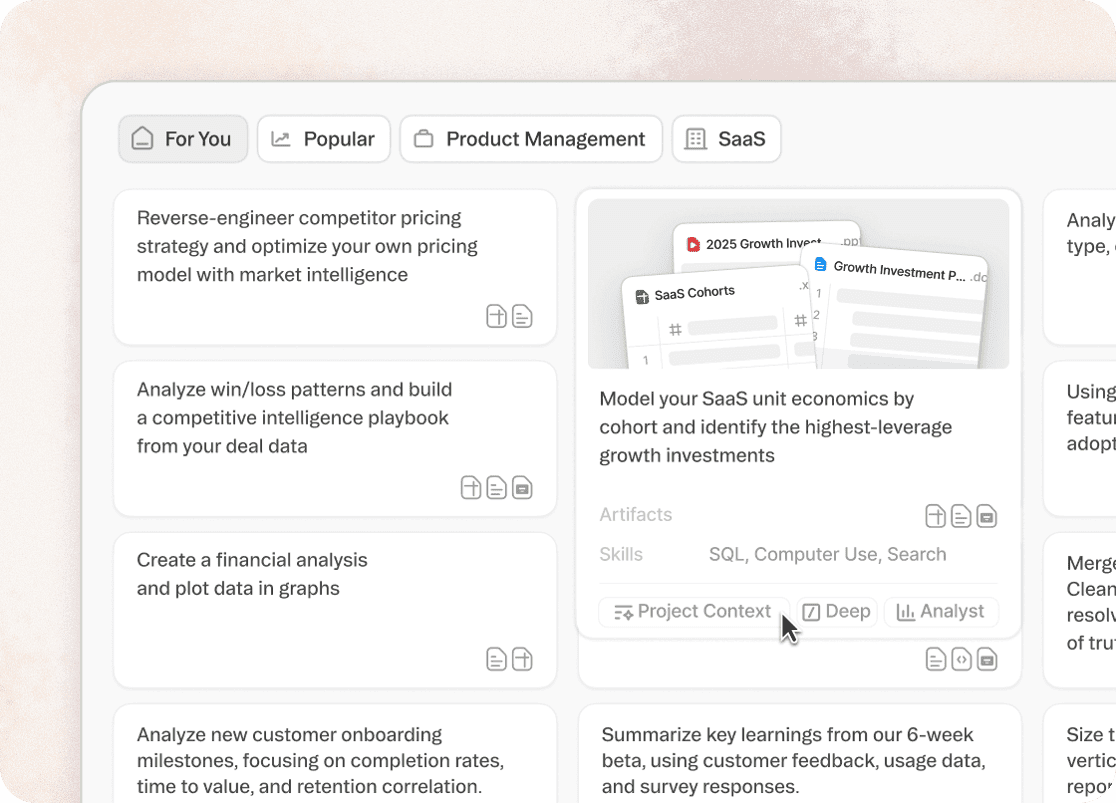
Shortcuts Library
The Shortcuts Library provides curated prompts for common use cases across industries. Think of it as inspiration and education combined, helping you get more value from the platform.
Browse examples for research, data analysis, content creation, and more to understand what's possible.
Your home screen within Obvious now surfaces recommended prompts based on the Personalization settings in your account. You can update your role and company and refresh these suggestions at the bottom right of the home screen.
New features
Improvements
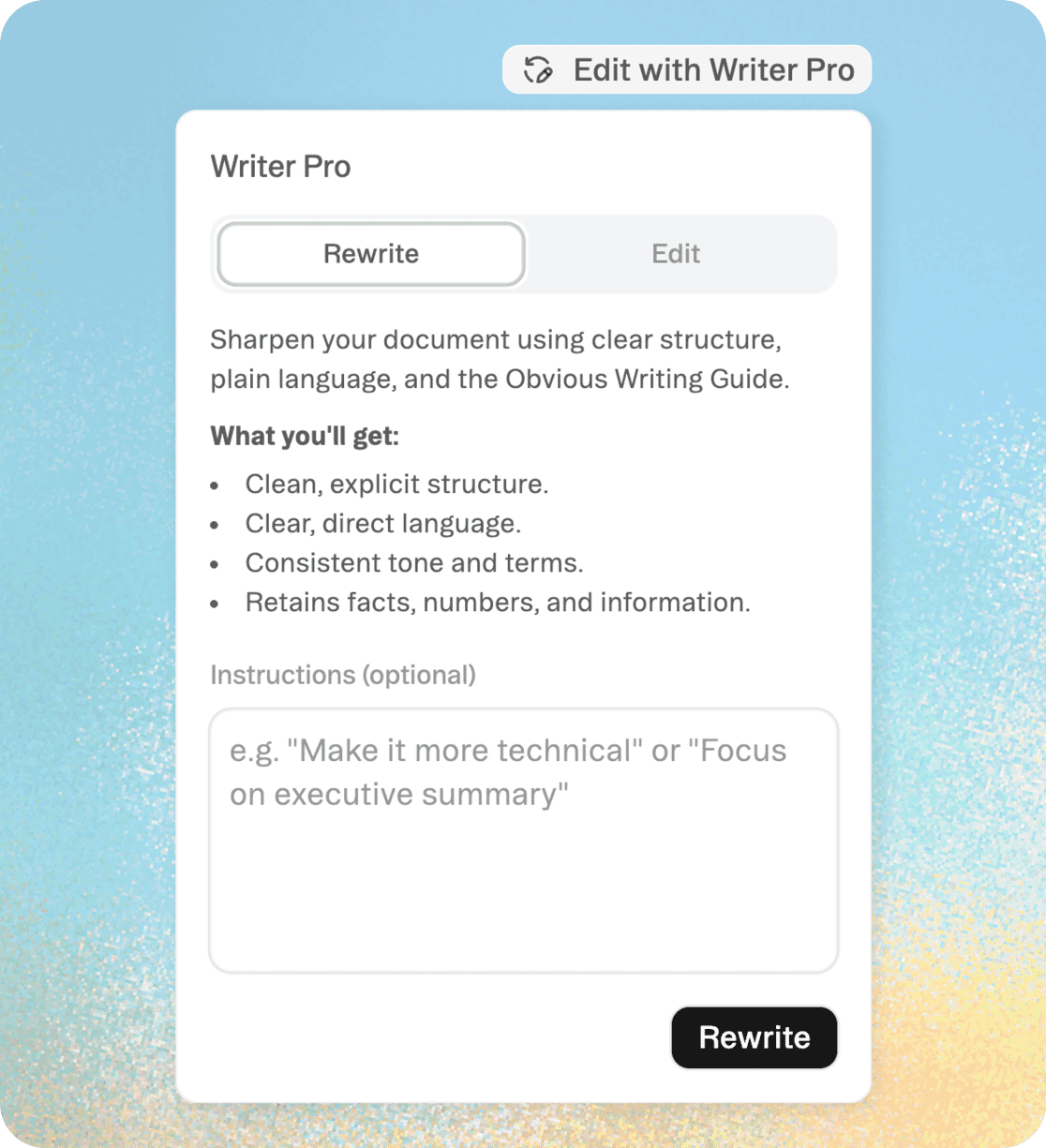
Writer Pro
Writer Pro brings editorial intelligence directly into your documents. Use it for polishing drafts, tightening arguments, or adapting content for different audiences.
Instead of prompting in chat, click "Edit with Writer Pro" to request rewrites, tone adjustments, or structural improvements.
The agent works within the document, refining your writing while maintaining your voice and intent.
New features
Improvements
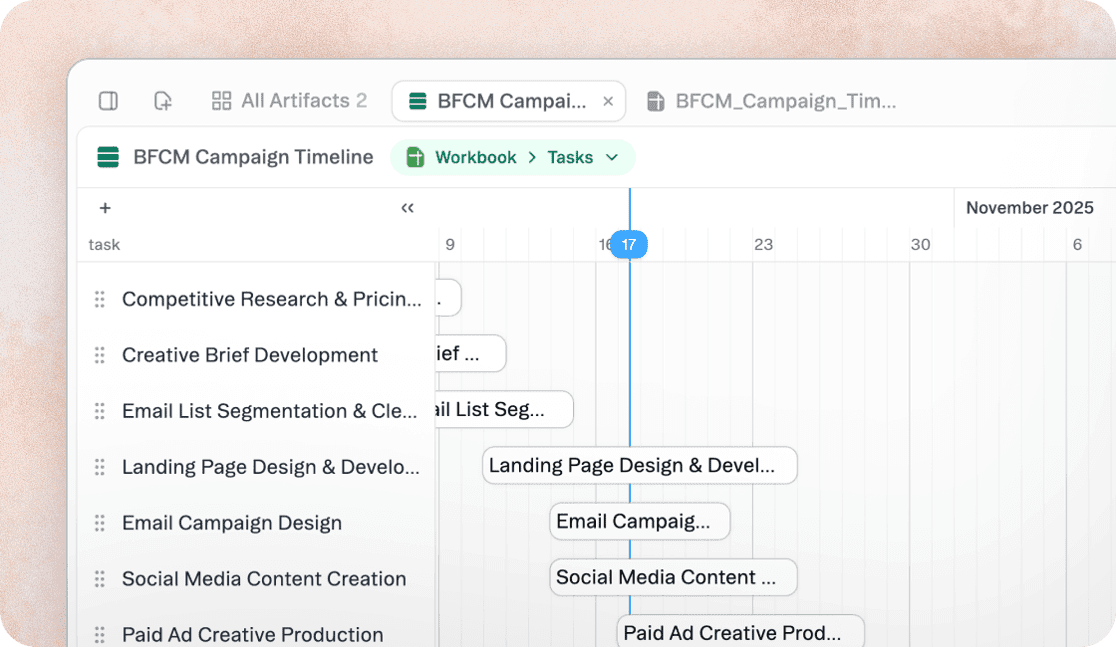
Timeline View
Timeline view transforms your sheet data into a chronological visualization.
Events, deadlines, and milestones appear on a scrollable timeline, making it easy to spot patterns, track project phases, or understand sequence.
Ask the agent to create a timeline view or add one as an artifact in your project.
New features
Improvements
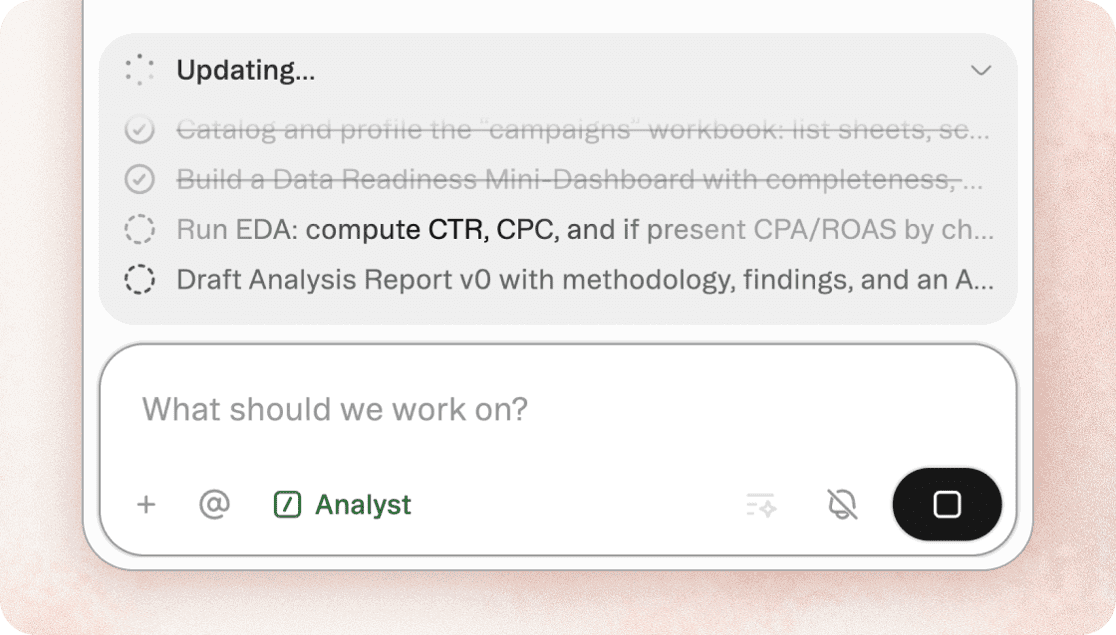
Analyst Mode
Think of Analyst Mode as assigning a senior analyst to your data. The agent applies statistical methods, complex data transformations, and strategic synthesis to uncover patterns and insights.
Analyst Mode is built for depth, not speed, delivering analysis that informs decisions with confidence. Use it when you need rigorous quantitative analysis, sophisticated data modeling, or thoughtful synthesis of qualitative research.
New features
Improvements
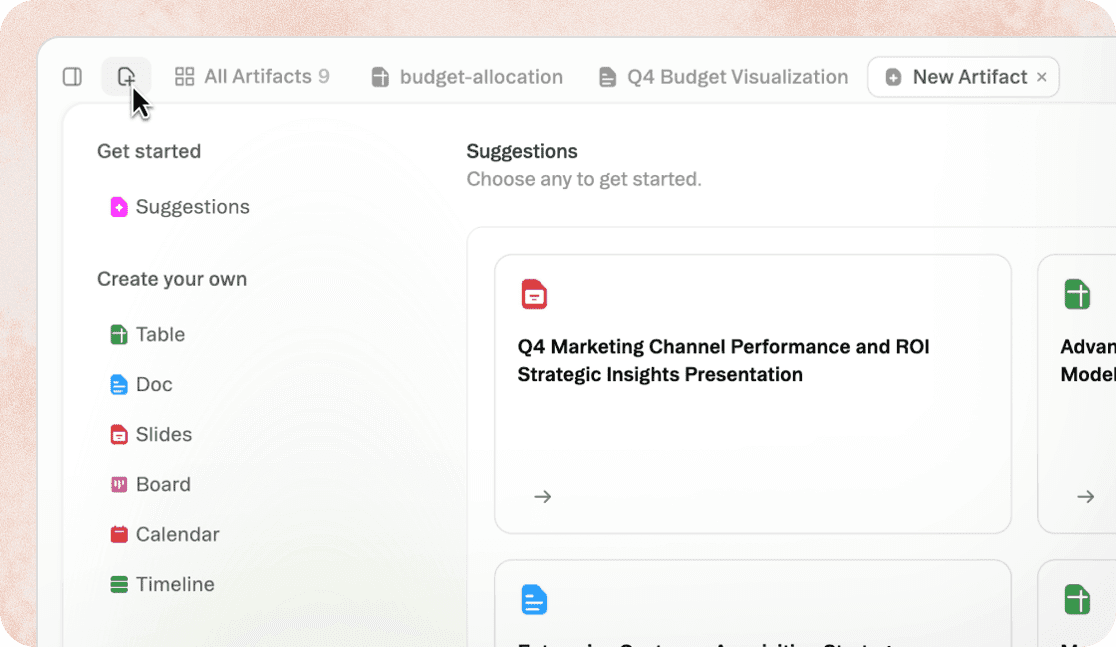
Adding Artifacts
Adding artifacts is now more discoverable. This makes it easier to choose the right format before creating, reducing trial and error.
Click the add icon to see all available types (sheets, documents, slides, boards, and more) with hover previews that show what each looks like.
Learn more about these artifact types and how to choose what's best for your project with this guide.
New features
Improvements

Deep Mode
Deep Mode activates enhanced reasoning capabilities that go beyond standard responses. The agent takes additional time to consider multiple approaches, evaluate tradeoffs, and develop more sophisticated solutions.
Use Deep Mode when you need strategic analysis, complex problem-solving, or outputs that require careful consideration of context and implications. Expect longer processing times but significantly more thoughtful results.
New features
Improvements
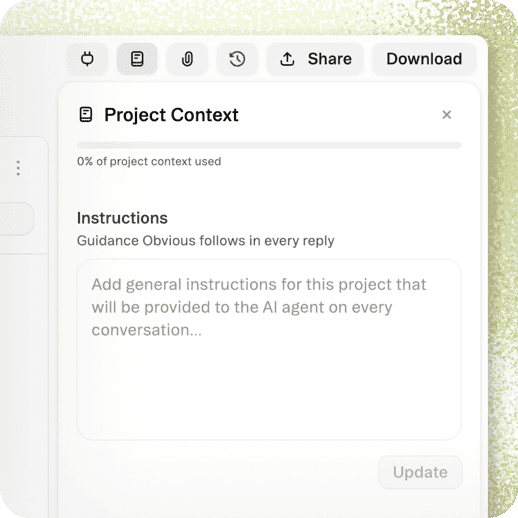
Project Context
Project Context keeps relevant information at the agent's fingertips without cluttering every prompt. Unlike Personalization, Project Context stays scoped to one project, making it ideal for client work or specialized initiatives.
Upload reference files, style guides, or project briefs that should inform all work in this space.
Learn best practices for utilizing Project Context in this article.
New features
Improvements
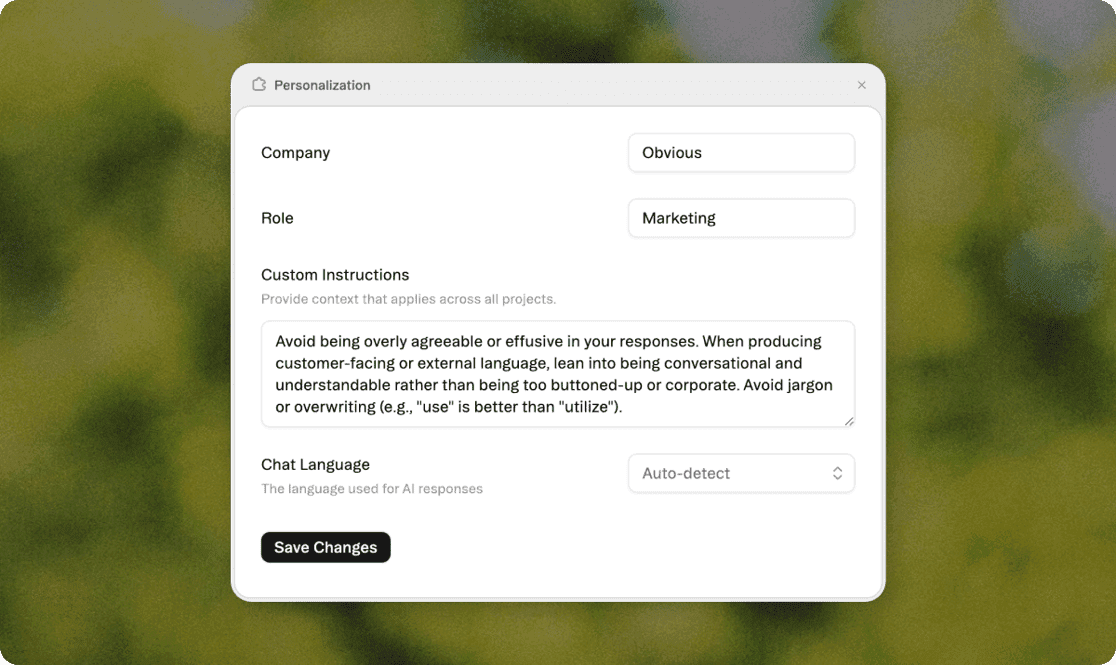
Personalization
Personalization gives you account-level control over how the agent works with you. Unlike project-specific context, these settings travel with you across all projects, creating consistent, informed responses wherever you work.
Add details about your role, company, industry, and preferences that should inform every interaction.
Learn how to configure your account-level specifications in this step-by-step guide.
New features
Improvements
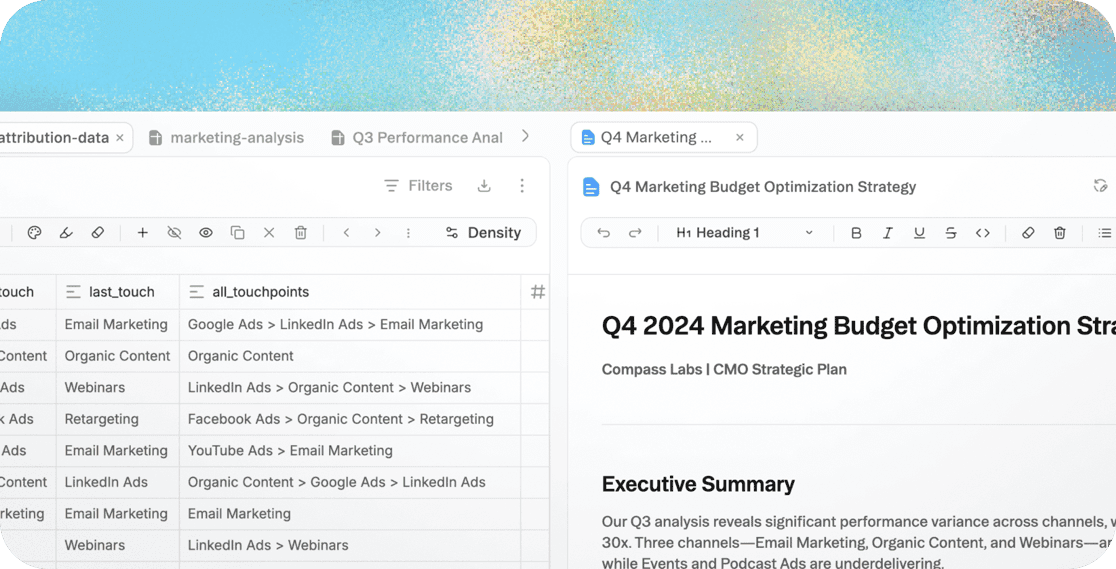
Split View
Your workspace now lets you work across two artifacts without losing focus. You can reference data while drafting reports, compare versions of documents, or keep guidelines visible while creating content. No more tab-switching.
Right-click any artifact in your project and choose split view to display items side by side.
New features
Improvements
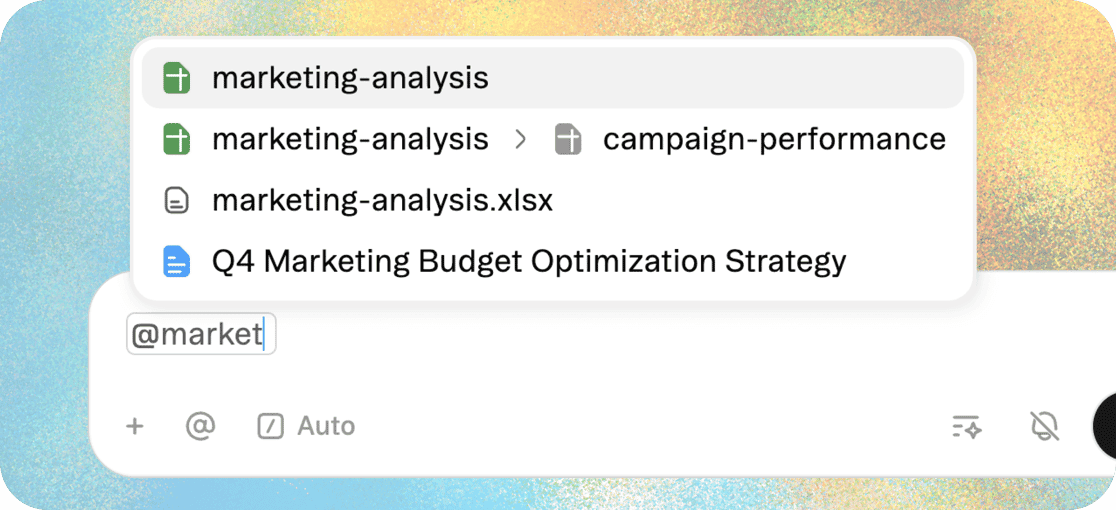
@ Mentions
Mentions let you point the agent to exact sources without uploading or copying content. Prompts more precise while reducing the need to manually gather information before starting a task.
Type @ to reference projects, files, artifacts, or specific data fields, and the agent incorporates that context into its work.
New features
Improvements
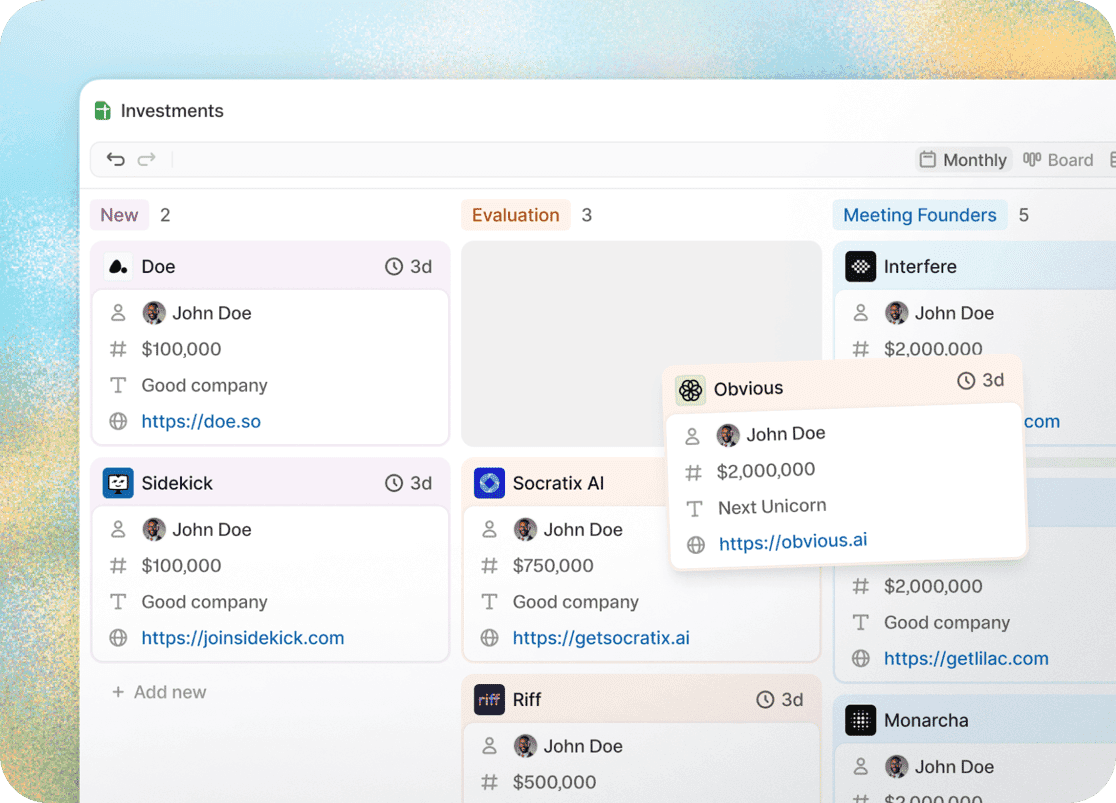
Kanban Boards
Kanban Boards turn your sheet data into visual project management. Ideal for managing deals, tasks, or any status-driven workflow.
View any sheet as a board, with rows displayed as cards organized by status columns.
Drag cards to update their state, add details inline, and track work through pipelines.
Learn more about kanban boards and how to get started in this article.